FFT Spectrum Analyzer

A precision vibration analyzer in your pocket.

Vibration and Vibration Pro turn your iPhone or iPad into a true FFT vibration spectrum analyzer — a portable, professional-grade alternative to a benchtop analyzer for predictive maintenance, machinery diagnostics, and vibration research.

Available on the App Store for iPhone and iPad, with an Apple Watch companion.

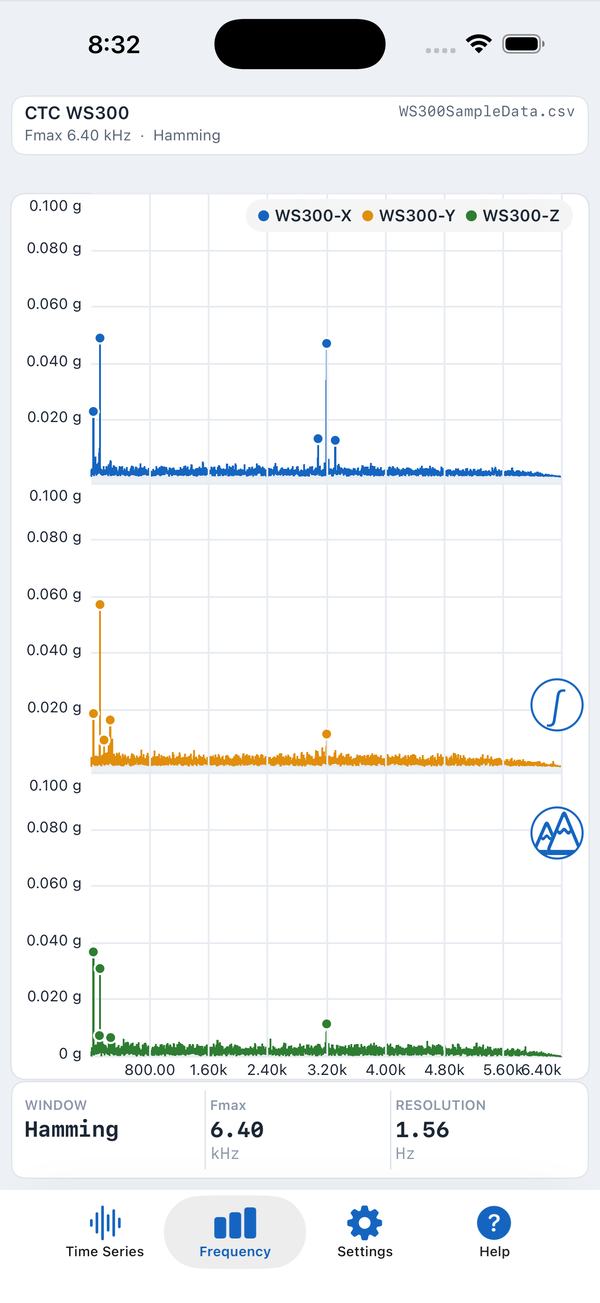
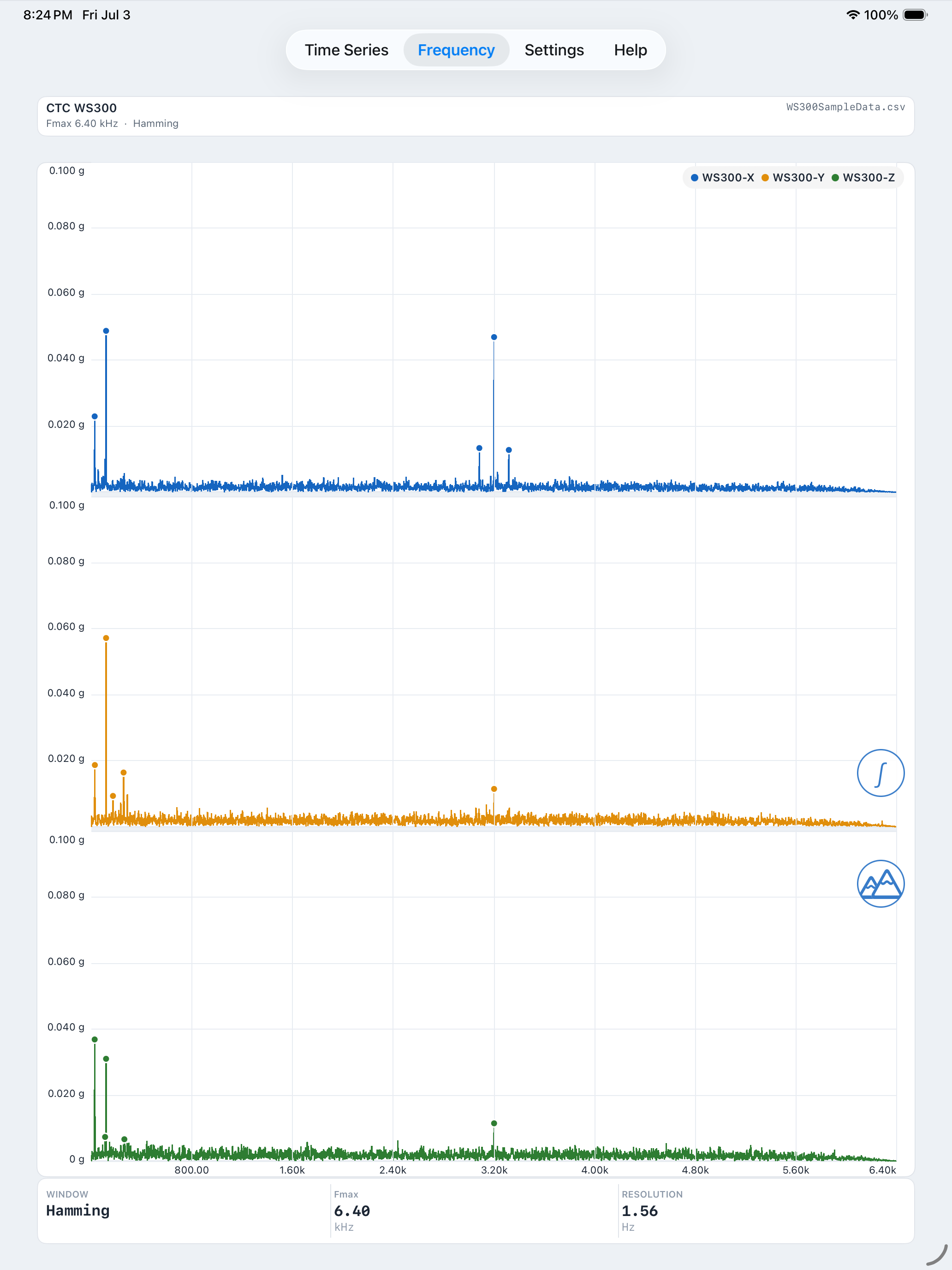
Vibration Pro frequency analysis — multi-channel FFT spectrum

Acquire · Analyze · Document

Everything a spectrum analyzer does — on the device you already carry

Both apps share the same measurement engine and redesigned, color-coded interface. Acquire time-series data, transform it to a frequency spectrum, and share professional results in seconds.

Measure from anywhere

  • Built-in 3-axis accelerometer and gyroscope — no extra hardware required
  • Built-in microphone input for acoustic vibration analysis
  • Digiducer professional USB accelerometer support
  • Adjustable sample rate, sample length, and start delay

Analyze like a benchtop

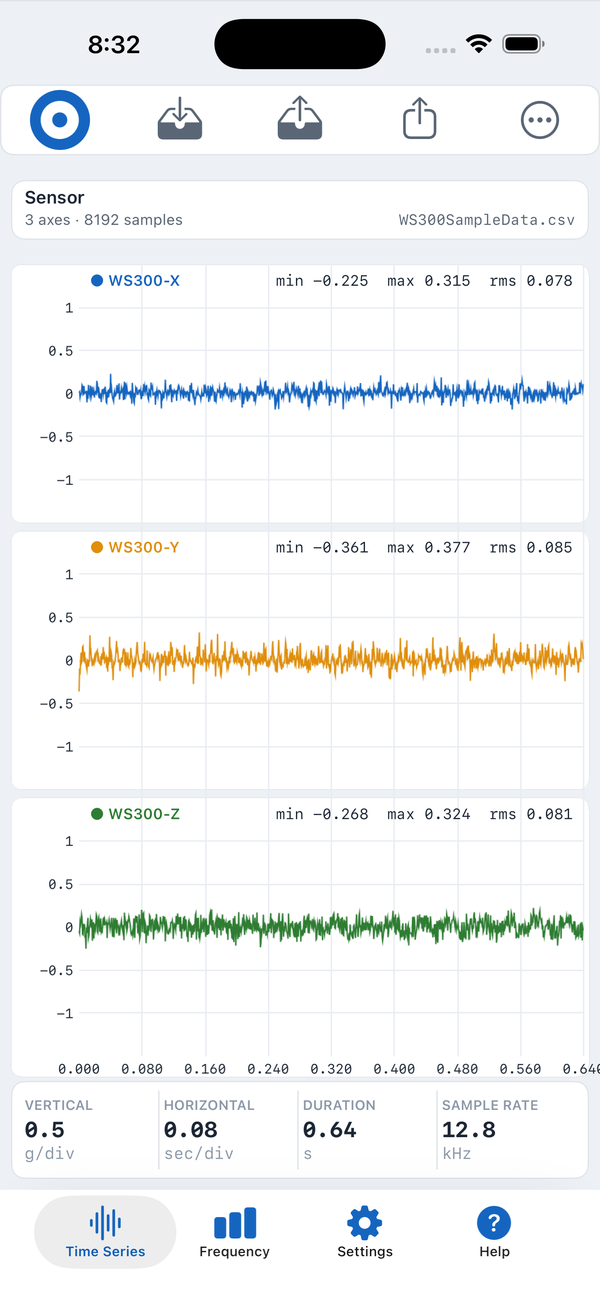
  • Time series and FFT frequency spectrum on every channel
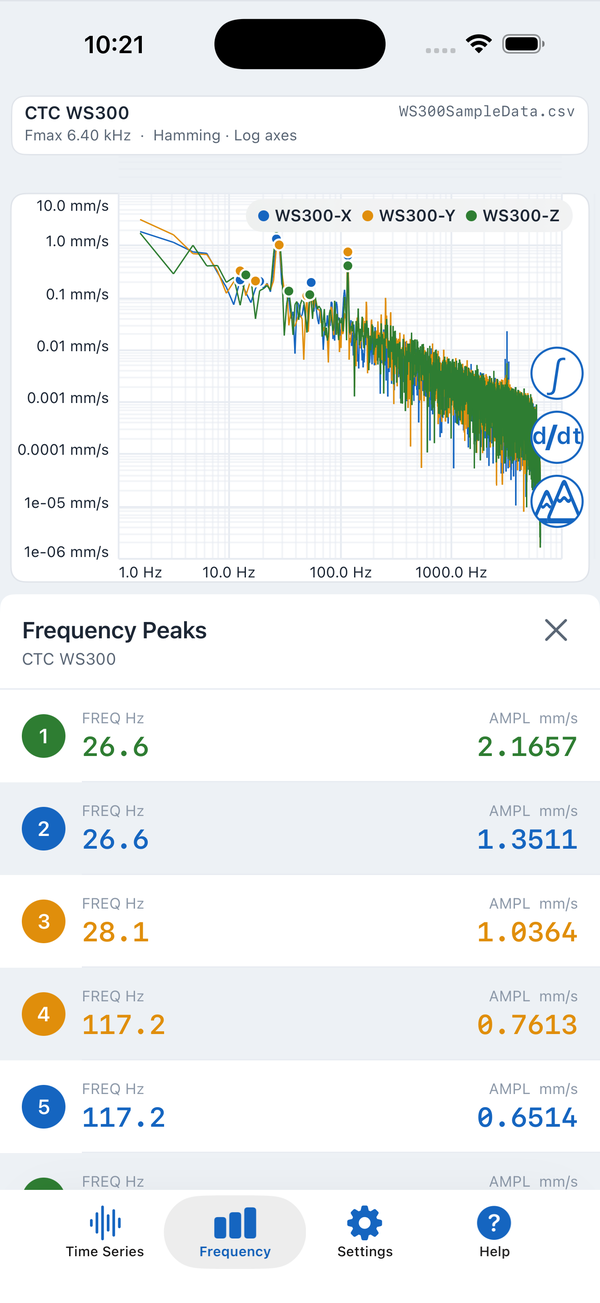
  • Linear-Linear, Log-Log, Log-Linear & Linear-Log display modes
  • Hamming, Hanning, and Flattop windowing
  • Integrate and differentiate: acceleration ↔ velocity ↔ displacement
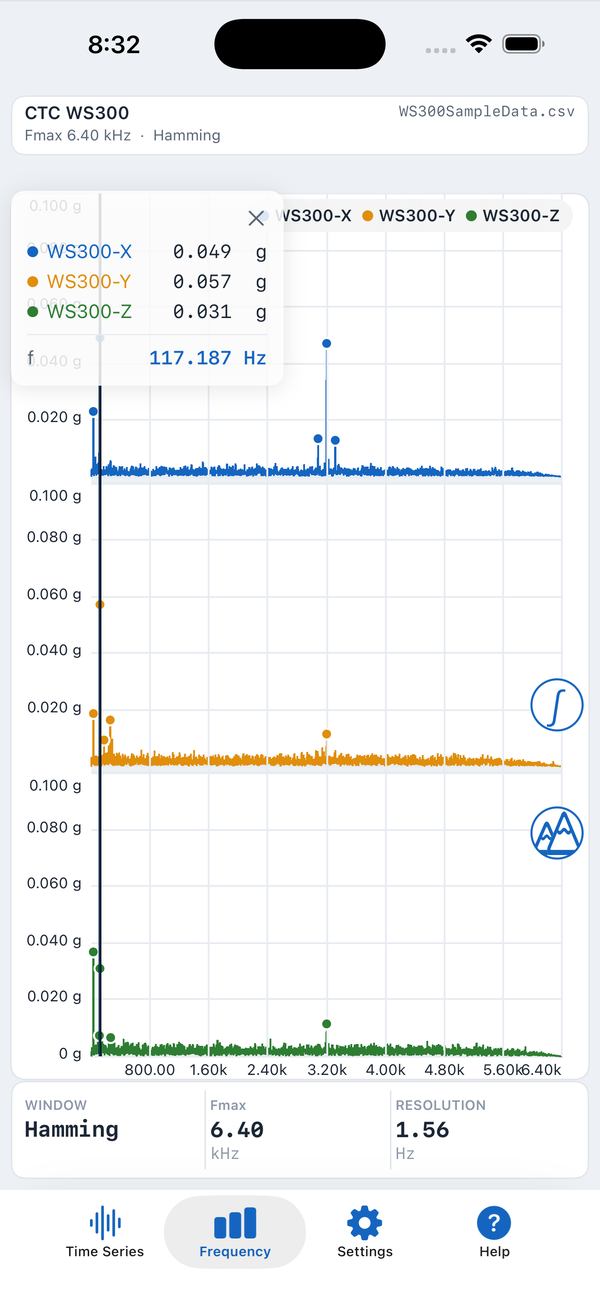
  • Color-coded peaks list and a magnetic drag-cursor readout

Document your results

  • Crisp PDF report — identical on iPhone and iPad
  • Open, non-proprietary CSV: reload in-app or open in Excel, MATLAB, or Python
  • Email data and reports, or transfer with the Files app
  • Apple Watch companion to trigger and monitor acquisitions

Document your results

See a real PDF report

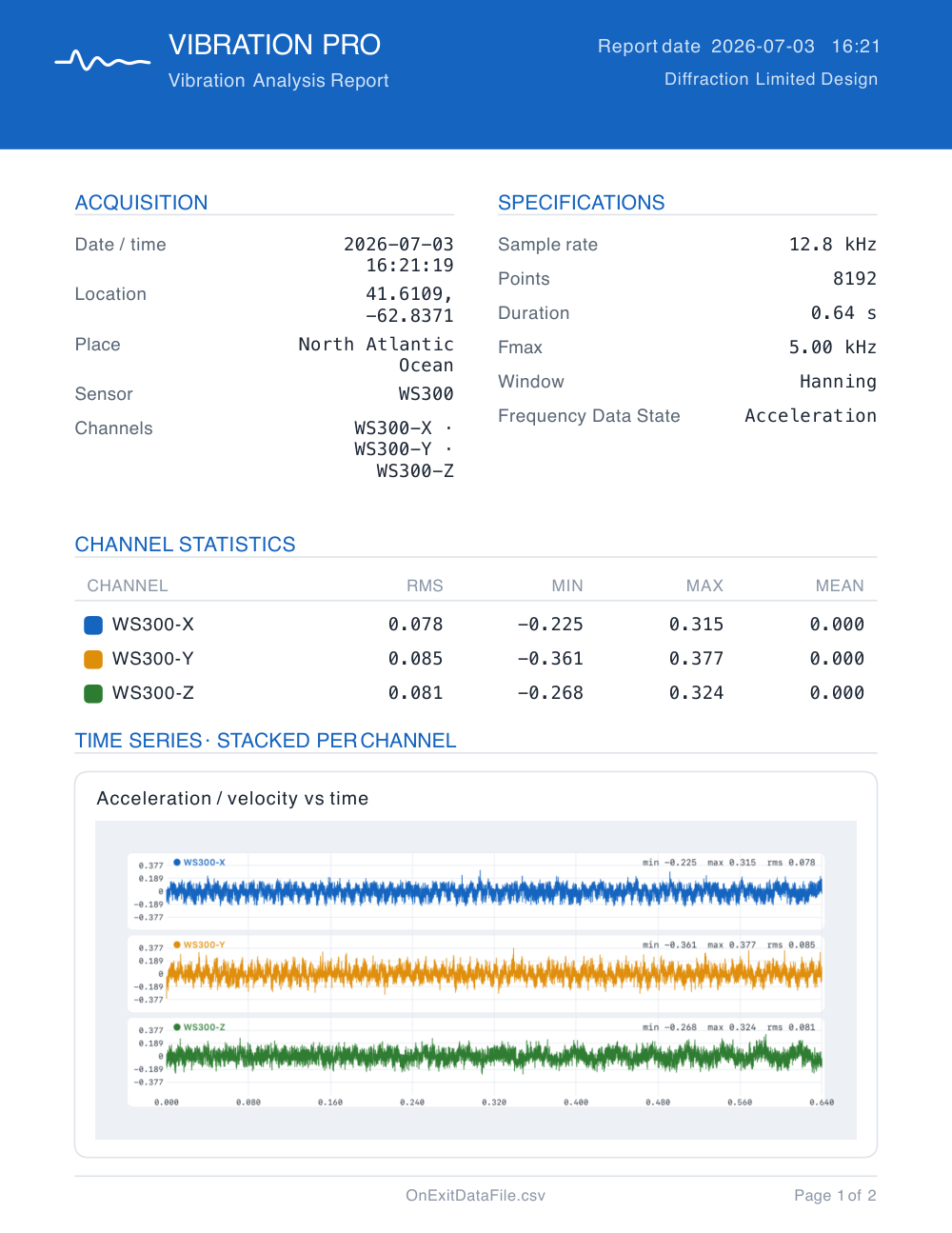
Every acquisition can become a crisp, shareable PDF — acquisition and sensor details, per-channel statistics, and time-series & frequency plots, identical on iPhone and iPad. Here's a full two-page sample.

Download sample report (PDF) ↓
Sample Vibration Pro PDF analysis report, page 1 2-page PDF · click to download

Designed for iPad, too

A native iPad layout — not a scaled-up phone app

On iPad, the interface is rebuilt for the bigger screen: every channel's spectrum is shown full-width at once, with acquisition details and live statistics laid out around the plots — so you read more of your data without scrolling.

  • All three channels plotted large, side by side vertically
  • Sensor, window, Fmax and resolution shown at a glance
  • The same crisp PDF report, identical on iPhone and iPad

Vibration Pro

Built for the field, and for the professional

Vibration Pro includes everything in Vibration, then adds the tools serious technicians rely on: external and wireless sensors, repeatable test procedures, and a way to organize work by machine.

Bluetooth & external sensors

CTC WS200 and WS300 Bluetooth wireless accelerometers, the full Digiducer USB family, and The Modal Shop 485B39 two-channel USB module — mount the sensor on the machine for wider dynamic range and to keep your device off hot, dirty, or vibrating equipment.

Full scripting language

Guide technicians step-by-step through repeatable, multi-point test procedures. Available as an auto-renewing subscription, cancelable anytime.

Machine Menu

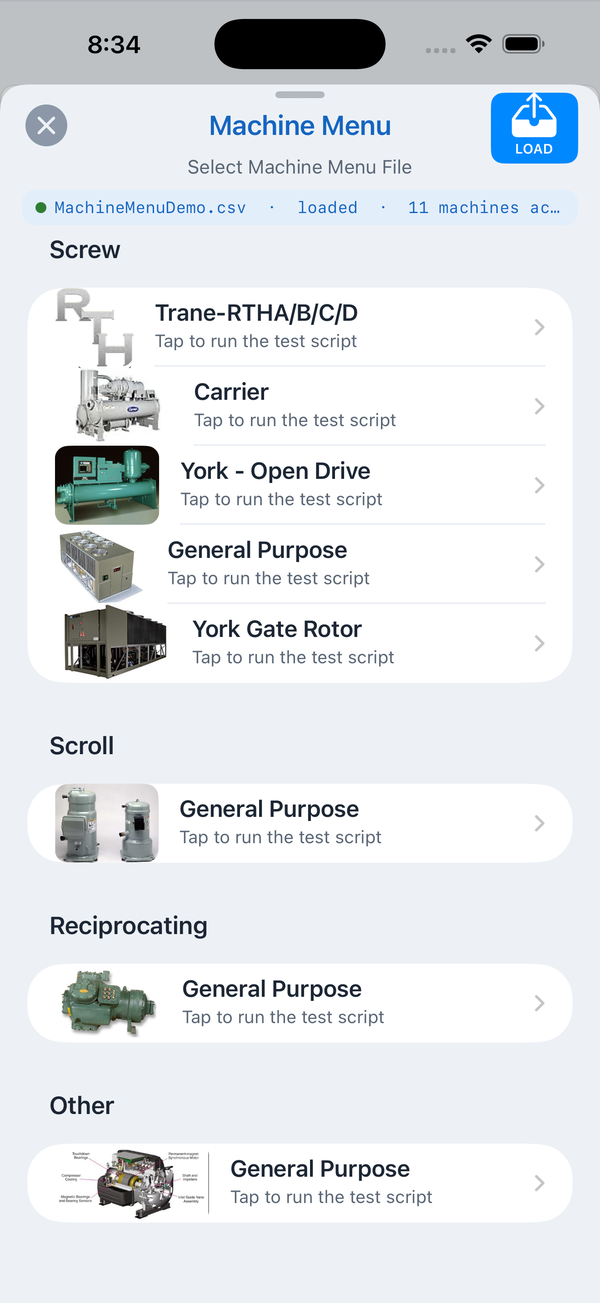
Organize your test scripts into a visual menu by machine, so the right procedure is always one tap away in the field.

Frequency alarm limits

Set adjustable alarm limits and flag over-limit peaks the moment they appear.

Get Vibration Pro
Vibration Pro Machine Menu

See it in action

What a Vibration Pro script looks like

Scripts are plain, human-readable steps that walk a technician through a repeatable test — select the sensor, acquire, analyze, and save the data and PDF report, the same way every time.

Route12_bearing_survey.csv
# Route 12 — weekly drive-end bearing survey
Comment                                     "Route 12 weekly survey"
Enter_Jobsite_Name                          "North Plant"
Enter_Machine_ID                            "Pump P-104"
Create_Directory_From_Jobsite_Machine_ID
Instruction                                 "Mount sensor on the motor drive-end bearing."
Select_High_Speed_Sensor                    "Modal Shop 485B39"
Set_High_Speed_Sensor_Fmax_kHz              2
Set_Acquisition_Length                      4096
Sample
Integrate_Frequency_Data
Save_As                                     "P-104_DE_axial"
Save_Report_As                              "P-104_DE_report"
End
See the full scripting command reference →

Which app is right for you?

Feature comparison

Vibration covers portable spectrum analysis for machinery diagnostics, acoustic testing, and hobbyist work. Vibration Pro adds external/wireless sensors, scripting, and field-workflow tools.

Feature Vibration Vibration Pro
Acquisition
Built-in accelerometer, gyroscope & microphone
Digiducer USB accelerometersIn-App Purchaseadvanced Digiducer featuresfull family included
The Modal Shop 485B39 two-channel USB moduleIn-App Purchase
CTC WS200 / WS300 Bluetooth wireless sensors
Sabrent USB input/output dongle
Guided accelerometer calibration
Triggering, auto-repeat & auto-save
Analysis
Time series & FFT frequency spectrum
Lin-Lin, Log-Log, Log-Lin & Lin-Log display modes
Hamming, Hanning & Flattop windowing
Integrate / differentiate in the frequency domain
RMS & peak levels, averaging & peak hold
Color-coded peaks list & drag-cursor readout
Adjustable frequency alarm limits
Workflow & reporting
PDF report (identical on iPhone & iPad)
CSV export & email, Files app transfer
Apple Watch companion
Save & load complete instrument settings
Machine Menu — organize scripts by machine
Full scripting languageSubscriptionmonthly or annual
Included In-App Purchase / Subscription Not available

Read the full manual on a big screen

Online help & user manual

The complete Vibration & Vibration Pro user guide — every screen, setting, and scripting command — formatted for comfortable reading on a computer, not just in the app.

Open the online manual →

Download

Get Vibration on the App Store

Vibration app icon

Vibration

Portable FFT spectrum analysis for machinery diagnostics, acoustic testing, and hobbyist vibration work — with guided calibration.

Download on the App Store
Vibration Pro app icon

Vibration Pro

The industrial FFT analyzer — external & Bluetooth sensors, scripting, Machine Menu, and alarm limits for professional predictive maintenance.

Download on the App Store